



















Documents from the record, signed by link.
Built-in e-signature with a hashed body and a full audit trail, witnesses and clients signing by their own link, policies re-acknowledged on every new version, and templates from your own Word files.
Agreements, terms of business, policies and report packs are built from the record in your own templates, then signed or sent without leaving Workhr. Signing is built in, so the signed copy, its audit trail and the record stay together.
E-signature with the evidence attached
Signers type, draw or click to sign. The document’s body is frozen and SHA-256 hashed when it is sent, and the audit trail records who signed, how, their IP address, their device and the body hash. A paper signature can be recorded with its scan.
- Type, draw or click to sign
- The body frozen and hashed at sending
- Signer, method, IP address and device on the trail
Signing record (example)
- Document
- Casual worker agreement
- Signer
- Losa Fifita
- Method
- Drawn
- Signed
- 12 Nov, 6:42 pm
- Body hash
- SHA-256 9f3c…a71e
- Countersigned
- Tama, 13 Nov
Every party signs by their own link
A document can carry several signers: the worker, a witness, a guarantor or the client. Each gets their own link and signs where their anchor is placed, and the agency’s countersignature produces the final PDF. Terms of business and MSAs are written from the client record and signed by the client’s signatory without a login.
- Witness, guarantor and client signers
- Agency countersign makes the final PDF
- Terms of business signed without a login

Policies that ask again when they change
Publish a policy and the people it applies to acknowledge it. Publish a new version and the acknowledgement is asked again. Tax forms, SWMS sign-off and induction acknowledgements are signed the same way, frozen and hashed.
- Acknowledgement re-asked on a new version
- Tax and retirement-savings forms signed in the worker app
- SWMS and induction sign-off kept with the site

Your templates, and packs that send themselves
Upload a .docx or paste your wording to make a template. It previews as paper, downloads as a blank PDF and fills from a candidate or client record. Report packs go out every morning, every Monday or on the 1st, to colleagues and to a client’s contacts.
- Templates from your own Word files
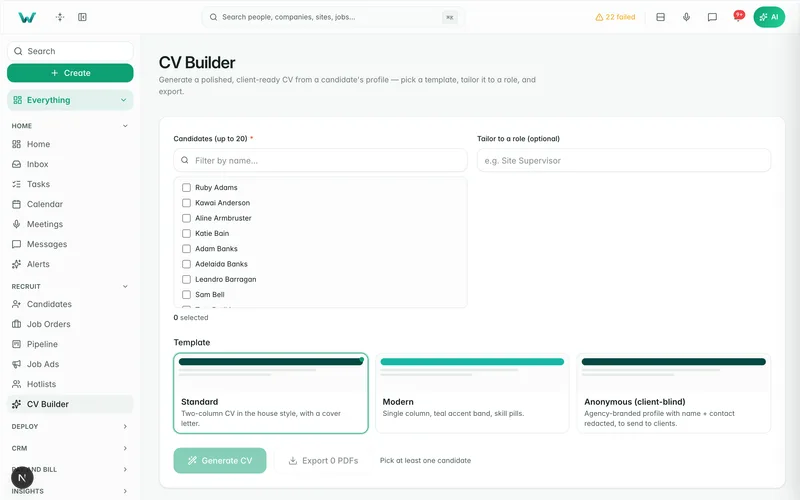
- CVs and agreements in your template
- Scheduled report packs to staff and clients

Why it matters.
E-signature built in, with the audit trail on the record.
Witnesses, guarantors and clients sign by their own link.
A new policy version asks for a fresh acknowledgement.
Questions
before you start.
Short answers to what agencies ask first.
Do we need a separate e-signature tool?
What does the audit trail record?
Can a client sign our terms without a login?
Can we use our existing templates?
Send your next agreement from the record.
Six months free, every feature, and your data moved for you.